Structure your team.
Build a legacy that lasts.
GM2 — GeneralManager brings structure to your team’s knowledge. Preserve what you learn, and make it usable for every decision and every team that follows.
No credit card required
Live on GM2
See what teams
are building.
Real groups and pages from teams and communities using GM2.

Greatest Chains Of Rivalry In Automotive History
A powerful story of how rejection shaped the world’s greatest supercar brands. Enzo Ferrari left Alfa Romeo to create Ferrari, Ferruccio Lamborghini responded to Ferrari’s insult by founding Lamborghini, and Horacio Pagani left Lamborghini to build Pagani. Each “no” became fuel for innovation, redefining performance, design, and automotive excellence forever.

Thinking for Mission-Critical
When time is extremely limited and the outcome really matters, the goal is not to do more—it’s to do less, but make it count. This is a breakdown of a “Steve Jobs-style” approach to executing under pressure.
STEM
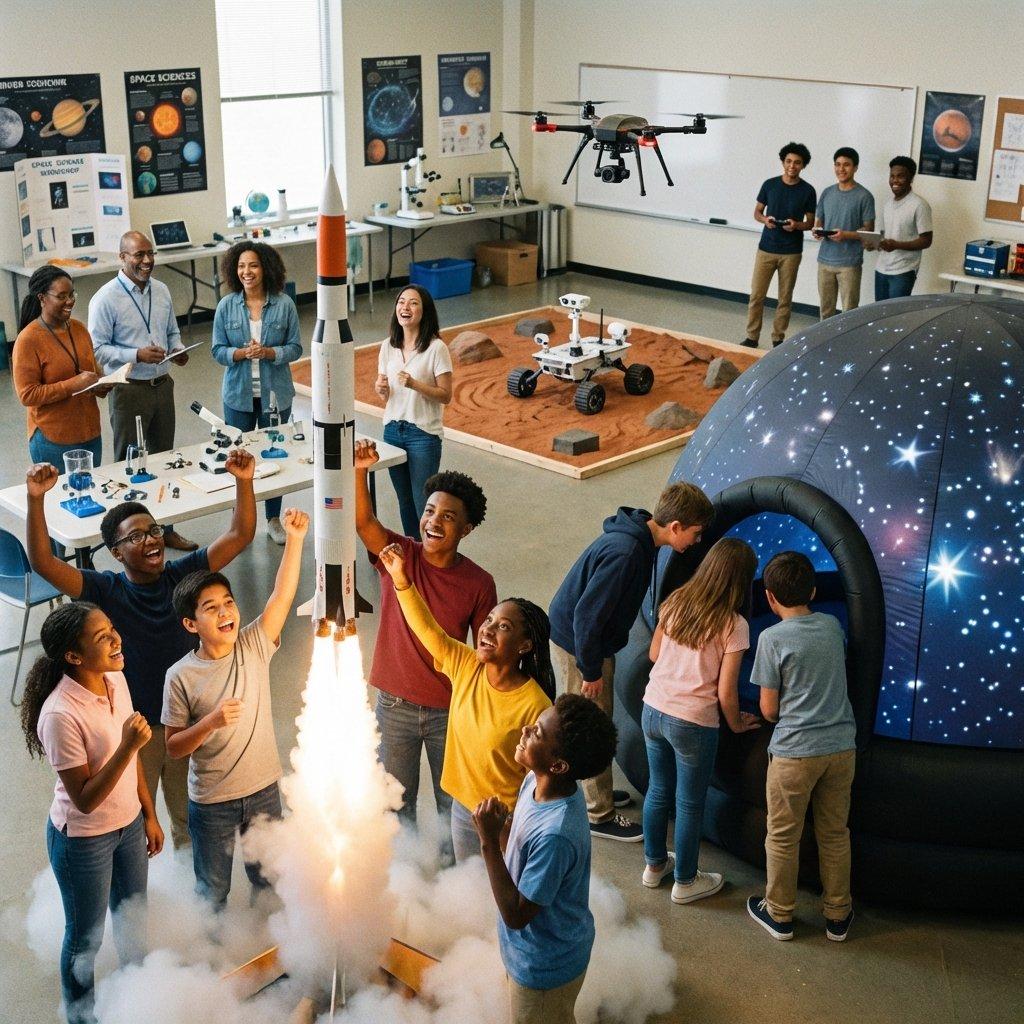
STEM stands for Science, Technology, Engineering, and Mathematics. It is an educational approach that combines these four subjects to help students develop critical thinking, creativity, problem-solving, and innovation skills. STEM learning focuses on practical, real-world applications, encouraging students to explore, experiment, and create solutions to modern challenges. Science helps us understand the world, technology improves daily life, engineering designs and builds systems, and mathematics provides the logic and calculations behind them. STEM education prepares students for future careers in areas such as healthcare, robotics, software development, artificial intelligence, and environmental science, making it essential in today’s rapidly advancing world.
MISI CLUB IIUM
MISI Club's targeted groups focus on Rural populations in Sabah and Sarawak. An outreach-based club that organises humanitarian programmes in Borneo. #misiintouchummahinheart Niche - Islamic Advocacy, Intellectual & Empowerment for Students (Dakwah, Facilitating & Outreach) Any inquiries: Sr. Aini: +6011-14056379 (President 25/26) Sr. Nadia: +6011-14945490 (Vice President 1) Sr. Zafirah: +6012-8091949 (Vice President 2)
Elon Musk’s 5-Step Engineering/Design
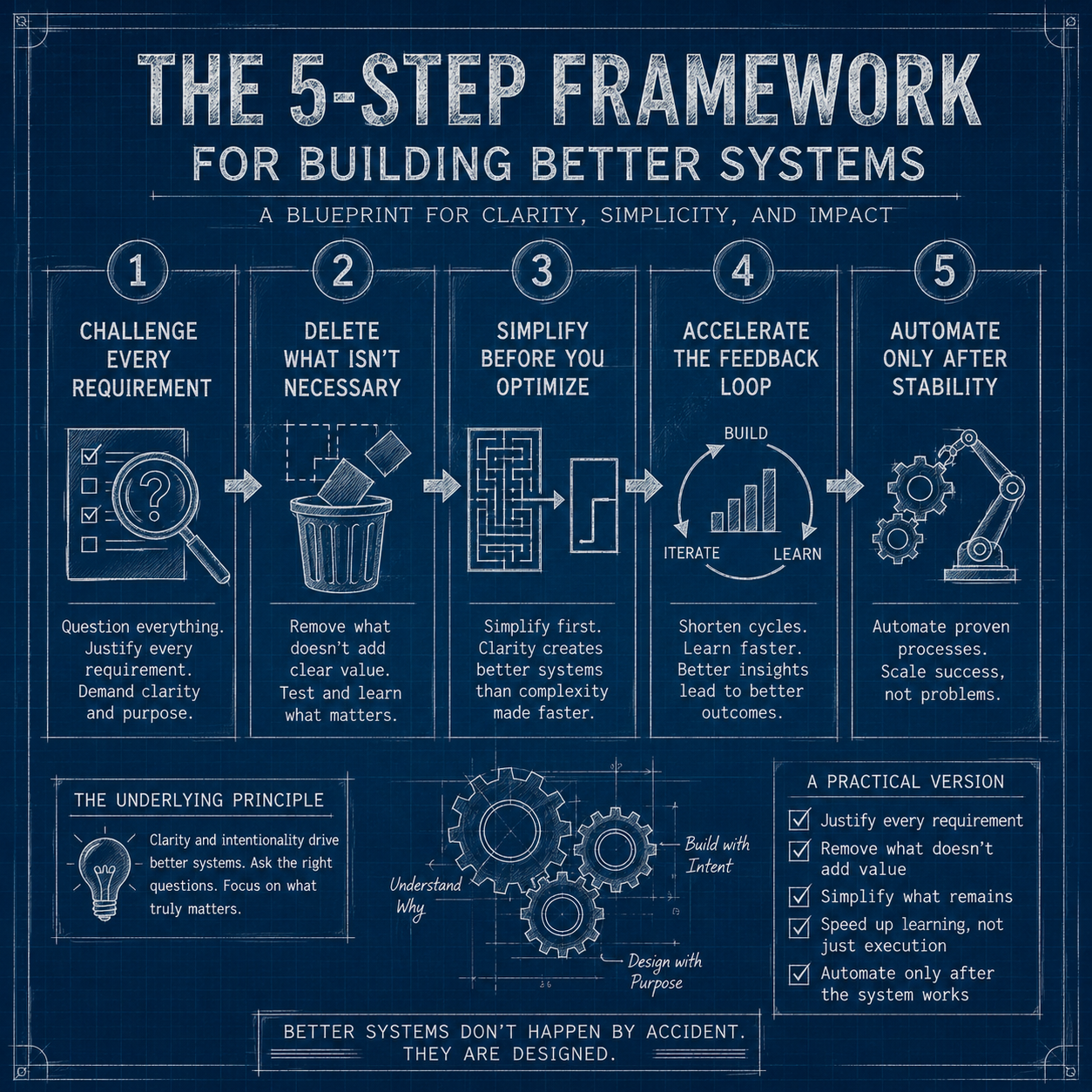
Elon Musk is known for pushing teams to move faster, cut waste, and rethink how things are built from the ground up. His “5-step algorithm” for engineering and operations is often shared as a blueprint for efficiency. On the surface, it sounds simple. In practice, it’s powerful—but only if applied carefully. Here’s a grounded version of that framework, with a focus on what works, what doesn’t, and how to use it in the real world.

Developer Community

Activity → Module → Course → Program
In structured learning systems, content is often organized in layers that gradually increase in scope and complexity. A clear way to understand this hierarchy is through four levels: Activity, Module, Course, and Program. This structure is widely used in education, corporate training, and digital learning platforms because it helps break down knowledge into manageable and meaningful units while maintaining a clear progression toward larger learning goals.

Event - Project - Program
In many fields—education, business, NGOs, and project management—the terms event, project, and program are often used interchangeably. However, they represent different levels of planning and execution. Understanding these differences helps in organizing work more effectively.

My Journey to Balancing Deen and Dunia: A Practical Guide
In my life’s journey, I took a detour from the path of faith until the echoes of my parents’ reminders and the gentle knocking of failure compelled me to pause and reconsider. It’s true what they say — sometimes, it takes hitting rock bottom to realize there’s a higher power (Allah SWT ) waiting to lift you up.

Al Khaadem
Al Khaadem is a Malaysia-based non-governmental organization focused on Islamic education, charity, and community service, particularly in areas like Qur’an classes, youth programs, and support for new Muslims (reverts). It operates with the goal of “serving mankind,” reflecting the meaning of its name (“the servant”), and organizes activities such as religious workshops, counselling, and donation drives—especially during periods like Ramadan. Based in Petaling Jaya, it presents itself as a faith-driven humanitarian group, though like any NGO, it’s wise to verify its registration and transparency before engaging or donating.
PERKIM CLUB IIUM
Greatest Chains Of Rivalry In Automotive History
A powerful story of how rejection shaped the world’s greatest supercar brands. Enzo Ferrari left Alfa Romeo to create Ferrari, Ferruccio Lamborghini responded to Ferrari’s insult by founding Lamborghini, and Horacio Pagani left Lamborghini to build Pagani. Each “no” became fuel for innovation, redefining performance, design, and automotive excellence forever.
Thinking for Mission-Critical
When time is extremely limited and the outcome really matters, the goal is not to do more—it’s to do less, but make it count. This is a breakdown of a “Steve Jobs-style” approach to executing under pressure.
STEM
STEM stands for Science, Technology, Engineering, and Mathematics. It is an educational approach that combines these four subjects to help students develop critical thinking, creativity, problem-solving, and innovation skills. STEM learning focuses on practical, real-world applications, encouraging students to explore, experiment, and create solutions to modern challenges. Science helps us understand the world, technology improves daily life, engineering designs and builds systems, and mathematics provides the logic and calculations behind them. STEM education prepares students for future careers in areas such as healthcare, robotics, software development, artificial intelligence, and environmental science, making it essential in today’s rapidly advancing world.
MISI CLUB IIUM
MISI Club's targeted groups focus on Rural populations in Sabah and Sarawak. An outreach-based club that organises humanitarian programmes in Borneo. #misiintouchummahinheart Niche - Islamic Advocacy, Intellectual & Empowerment for Students (Dakwah, Facilitating & Outreach) Any inquiries: Sr. Aini: +6011-14056379 (President 25/26) Sr. Nadia: +6011-14945490 (Vice President 1) Sr. Zafirah: +6012-8091949 (Vice President 2)
Elon Musk’s 5-Step Engineering/Design
Elon Musk is known for pushing teams to move faster, cut waste, and rethink how things are built from the ground up. His “5-step algorithm” for engineering and operations is often shared as a blueprint for efficiency. On the surface, it sounds simple. In practice, it’s powerful—but only if applied carefully. Here’s a grounded version of that framework, with a focus on what works, what doesn’t, and how to use it in the real world.
Developer Community
Activity → Module → Course → Program
In structured learning systems, content is often organized in layers that gradually increase in scope and complexity. A clear way to understand this hierarchy is through four levels: Activity, Module, Course, and Program. This structure is widely used in education, corporate training, and digital learning platforms because it helps break down knowledge into manageable and meaningful units while maintaining a clear progression toward larger learning goals.
Event - Project - Program
In many fields—education, business, NGOs, and project management—the terms event, project, and program are often used interchangeably. However, they represent different levels of planning and execution. Understanding these differences helps in organizing work more effectively.
My Journey to Balancing Deen and Dunia: A Practical Guide
In my life’s journey, I took a detour from the path of faith until the echoes of my parents’ reminders and the gentle knocking of failure compelled me to pause and reconsider. It’s true what they say — sometimes, it takes hitting rock bottom to realize there’s a higher power (Allah SWT ) waiting to lift you up.
Al Khaadem
Al Khaadem is a Malaysia-based non-governmental organization focused on Islamic education, charity, and community service, particularly in areas like Qur’an classes, youth programs, and support for new Muslims (reverts). It operates with the goal of “serving mankind,” reflecting the meaning of its name (“the servant”), and organizes activities such as religious workshops, counselling, and donation drives—especially during periods like Ramadan. Based in Petaling Jaya, it presents itself as a faith-driven humanitarian group, though like any NGO, it’s wise to verify its registration and transparency before engaging or donating.
PERKIM CLUB IIUM
Trusted by teams at
✨ New · Groups + Links
Your team's command center,
now with link-in-bio for groups.
Pin curated links on your group page — one URL your whole team actually uses.
Structured pages
Build a hierarchy of pages and sub-pages as deep as you need. Navigate with the sidebar tree, breadcrumbs, and per-group page lists.
Think: a wiki that grows with your team.
Rich text editor
Write docs with headings, lists, blockquotes, links, and tables. Content auto-saves as you type and renders beautifully on every device.
Think: a doc editor that stays out of your way.
Group links
Pin curated links on any group page — Canva, Instagram, Telegram, Drive and more. GM2 detects the platform and shows the right icon automatically.
Think: a linktree that lives inside your group.
Deep dive
Built for real teams.
Every feature in GM2 solves a specific problem teams run into when they try to share knowledge.
One home for every team.
Create a Group for any team, project, or community. Set it public or private. Invite members, give some admin rights, and everything they share lives there — permanently.
- Public or private visibility
- Member roles: Admin & Member
- Invite via email link
- Pages linked directly to the group
Design Team
PublicUI/UX and brand identity
Engineering
PrivateBackend, frontend & infra
Marketing
PublicGrowth, content & campaigns
Your Company/Org
Department
Event
Tentative
About Us
Knowledge that actually stays found.
Write anything — docs, guides, notes, decisions. Nest pages under parent pages to build hierarchy. Attach them to groups so context is never lost.
- Rich text editor with full formatting
- Nested sub-pages for deep structure
- Linked to a group or standalone
- Publicly shareable by default
One group URL.
Every link your team actually needs.
Add curated links to any group page — Canva, Instagram, Telegram, Drive, and more. GM2 detects the platform automatically and shows the right icon.
- Auto-detects WhatsApp, Telegram, Canva, Drive, YouTube…
- Custom label for each link
- Reorder links by dragging
- Share one URL — public or invite-only
Your Team
Public group · GM2
Links
 Canva Board
 Instagram
 Telegram
 Website
 Google Drive
The rules
Three things to know. One minute to understand.
GM2's permission model is intentionally small. Here's everything you need to know.
Writing is open to everyone
Any signed-in user can create pages and groups — no tiers, no locked features, no 'upgrade to unlock'. The moment you join, you have the same creative access as everyone else on the platform.
Groups are yours to build
You don't need permission to start a group. Create one for your team, set the join rules — open or approval-based — and your group is live. You're automatically the admin.
Authors and group admins shape the content
Page authors can link their pages to any group. Group admins can also link any page into their group — building a curated space for their members. Both sides have the power to connect content where it belongs.
One page, many audiences
Every page has one fixed position in the content tree — it always has a clear home. But that same page can be linked into any number of groups, so different teams can all access it without duplicating content.
How it works
Up and running in minutes.
No onboarding calls, no complex setup. Just sign up and start building.
Sign up free
Create your account with email or Google in under 30 seconds.
Create a Group
Name your group, set visibility, invite your first members.
Write Pages
Add docs, guides, or notes. Label them, nest them, link them.
Collaborate
Your team finds everything. No more 'where is that doc?' messages.
Every team, one tool
Some teams ship code.
Some run events.
Some are just you.
GM2 doesn't force a structure. It fits the one you already have.
Product & Engineering Teams
Document your architecture, write runbooks, track decisions, and keep your team on the same page — literally.
Communities & Clubs
Run a community with multiple working groups. Share public pages, manage members, and create a home anyone can explore.
Solo Builders & Founders
Use GM2 as your personal knowledge base. Organize your thinking, publish notes publicly, and grow your digital garden.
Access & Roles
The right access for everyone.
Sign in with email or Google. Every user gets a role — from casual visitor to full admin.
How you get it
Not signed in
- Browse public pages
- View public groups
- Read shared content
How you get it
Sign up & join a group
- Dashboard access
- View group content
- Create & edit pages
How you get it
Assigned by an admin
- Manage group members
- Edit group settings
- Rearrange page hierarchy
How you get it
Platform owner
- Full platform access
- Manage all groups
- Manage all pages & users
What people say
Teams love GM2.
“We replaced our Notion setup in a weekend. The group structure just makes sense for how our team actually works.”
Alex R.
CTO, Seedling
“Finally a wiki my non-technical teammates actually use. The editor is clean and everything stays where you put it.”
Priya M.
Head of Ops, Folio
“The link-in-bio blocks alone are worth it for our community pages. One URL, everything your audience needs.”
James K.
Community Lead
Your team's knowledge,
finally in one place.
Free to use. No credit card. Set up in minutes.